

Last updated in August 2026. Checked on WordPress 7 and PHP 8, theme version 1.0.9.
View live demos
Download the theme
Enjoyed this? Then subscribe to the newsletter or follow us on YouTube. It costs nothing and helps more than anything. We have been at this since 2009, and we will keep going.Enjoyed this? Then follow us on YouTube. It costs nothing and helps more than anything. We have been at this since 2009, and we will keep going.
Werkstatt is a photography blog theme whose front page scrolls sideways instead of down. It is a classic theme, set up on its own options page.
The Werkstatt Theme Overview
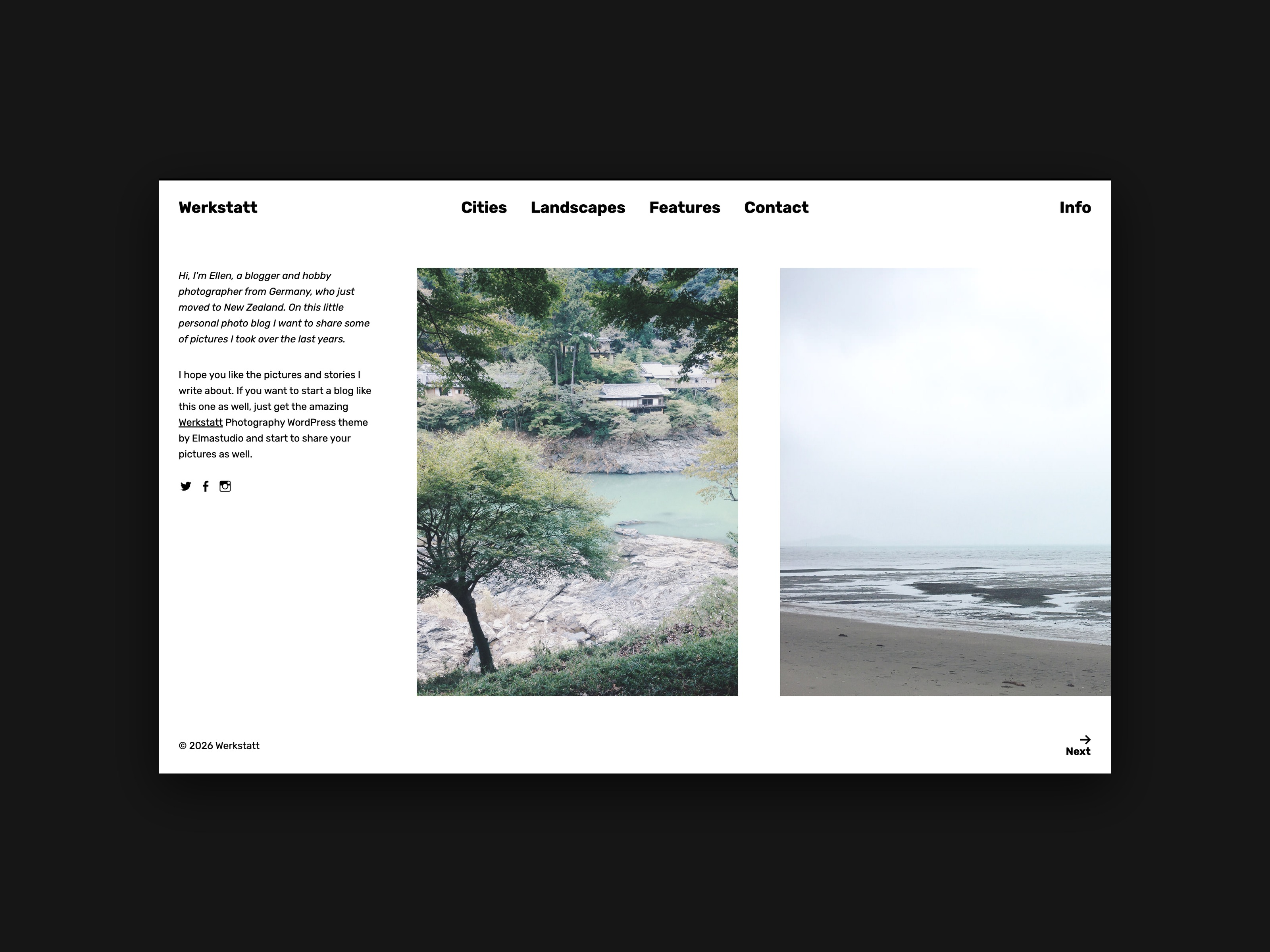
December always seems to be the months we really get into theme production mode, so we are super happy to show you our latest Photography blog theme Werkstatt (see the Werkstatt live demo) today. Werkstatt is a horizontal-scrolling theme with a very clean, minimal design. It’s a great theme to feature individual images on a website, the design feels very clear and calm.
Werkstatt works best with a lot of pictures and it is also a great theme to show images only on a website (e.g. for a photography showcase).
Werkstatt Theme Highlights
Werkstatt has a unique, responsive horizontally-scrolling theme layout, so you can show your images, in a clean and minimal way without much distraction. On single posts you can show images in a big image size (up to 1600px in width) or include image galleries.

A further Werkstatt theme highlight is the open, grid layout on archive pages (e.g. category overviews). The grid layout makes archive pages more attractive for your viewers and it changes up the view for posts filtered by categories, tags or search terms.

Widgets can be included in a four-column overlay widget area that can be opened via the fix-positioned “Info” button.

Your Feedback
We hope you really like our newest theme and have fun using it on your blog or even start a new blog with it. If you have any questions or suggestions on how to improve the theme further or if you find any bugs, please just let us know by writing a comment below. We would love to hear your feedback!
Theme Image Sizes:
Werkstatt: Featured images should be at least 1600px wide

9 comments
Beautiful themes, per usual!
Replying to Brett Torrey Haynes
Thanks so much, Brett, so great to hear from you :)
Oh gosh I love the new themes! They are so great to look at…thank you Elma studio!
Replying to Jana
Hi Jana,
thanks you sooo much for this wonderful feedback, so happy to hear that you like them :)
Best, Ellen
They are both so beautiful! In Neubau, it seemed that my browser needed to be quite wide to accommodate the layout, otherwise there is a large blank space at the top. I’d really like to use this theme, is there a way around this?
Other than that, I really love the new layouts (along with the others!)
Replying to K
Hi there,
thanks so much for your feedback, so happy you like the themes! I’m already working on a small first update for Neubau, I will fix the issue in the update (I think it has to do with the fade-in effect of the posts).
Best, Ellen
Beautiful.
Thank you Elma!
HI” Love your themes, im currently using onigiri but have no idea on how to make it like your demo..so that one can have all the images/daily posts that are posted on one page and hoover over so a title appears and then click on the picture to read the content….Right now i just have a simple scroll blog that you haveto click on the title ontop of the image to get to the single page where you can leave comments. Thats why im considering buying Neubau instead … but im wondering will it be hard for me to trasfer the blog to a new theme? Im super new with all this!! or can i make the onigiri work the way i want it to?
Super greatfull for some help and advice…
Thanks!
Cheers!!
the newbie
Hello Ellen,
Please help me figure out how can I make a single-column for the first two posts (Neubau theme) as in the first photo where you present the theme.
So, the first two post to appear as single-column and wider and then as going down three-column.
Thanks!